Boris Assistant
An open-source AI voice assistant for Windows. Speak naturally to search the web, work with files, and remember useful context. Speech runs locally, with your choice of AI model and approval for risky actions.
Latest releases
What's new in Boris
Stable 1.2.0 brings live voice feedback, stronger wake detection, and evidence-backed local memory to Windows.
Read the release notesLive feedback while Boris works.
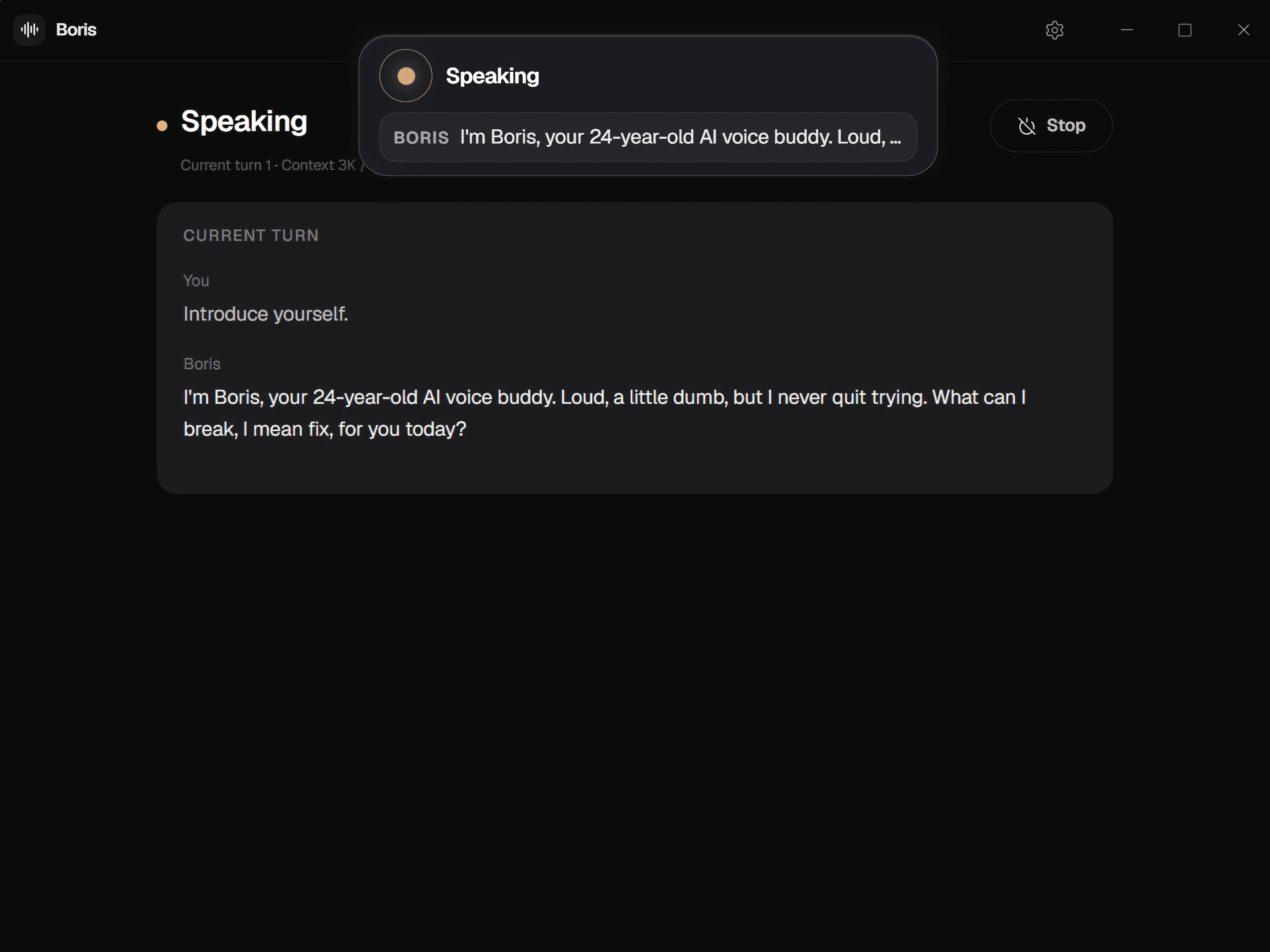
A presence orb follows the conversation while live captions and tool progress keep current work visible. Type when speaking is a poor fit.
Download Boris 1.2.0One quiet loop
Ask naturally.
Boris handles the steps.
The whole interaction stays visible without becoming another app you have to manage.Ready when called. Quiet the rest of the time.
A lightweight wake model runs on your computer. Say Boris to start a voice request while the engine is running.
Follow a request from wake word to response.
Always within earshot
It shows up when you call. Then gets out of your way.
Boris has a small, always-on-top voice island and a Home desk for longer results. You see what it heard, what it is doing, and when it needs your attention.
- Wake-word activation
- Live private captions
- Listening, thinking, and speaking states
Tools with judgment
Helpful enough to act. Careful enough to ask.
Boris can search, work with files, remember notes, and run system actions. Capability presets and human approval keep you in control.
- Voice-safe, local-only, and full presets
- Explicit approval for risky actions
- Sandboxed workspace and path controls
Local where it matters
Your voice shouldn’t need a round trip to the cloud.
Wake detection, speech recognition, and speech generation run locally. Your transcribed request and relevant conversation, memory, or tool context go to your chosen model through OpenRouter. Raw microphone audio stays on your PC.
Yours to inspect
Open source from wake word to tool call.
Boris is built in Rust with a Tauri desktop shell. Read every layer, add your own skill, change the model, or ship your own version.
Four layers, one inspectable pipeline.
 boris-assistant
Before you install
Questions about Boris Assistant
Is Boris Assistant free?
Boris is free and open source under Apache 2.0. You bring an OpenRouter API key for the AI model. Any model usage charges come from your provider.
Does Boris work offline?
Wake detection, speech-to-text, and spoken replies run locally after the speech models are installed. AI responses through OpenRouter and web searches need an internet connection.
Which Windows versions can run Boris?
The published installers support Windows 10 and Windows 11 on x64 PCs. You need a microphone for voice input and speakers or headphones for spoken replies. See the Windows download and setup guide.
What can Boris do on my computer?
Boris can search the web, read and work with files, search optional memory, and run system actions within its capability preset and workspace controls. Risky actions pause for your approval. Research results and code can appear as on-screen cards.
What changed in Boris 1.2.0?
Boris 1.2.0 adds a presence orb, live transcription previews, tool progress, stronger wake detection, and evidence-backed local memory. Upgrading from beta.1 or earlier can send older memory to your configured LLM for migration. See the stable release notes for details and how to disable it.